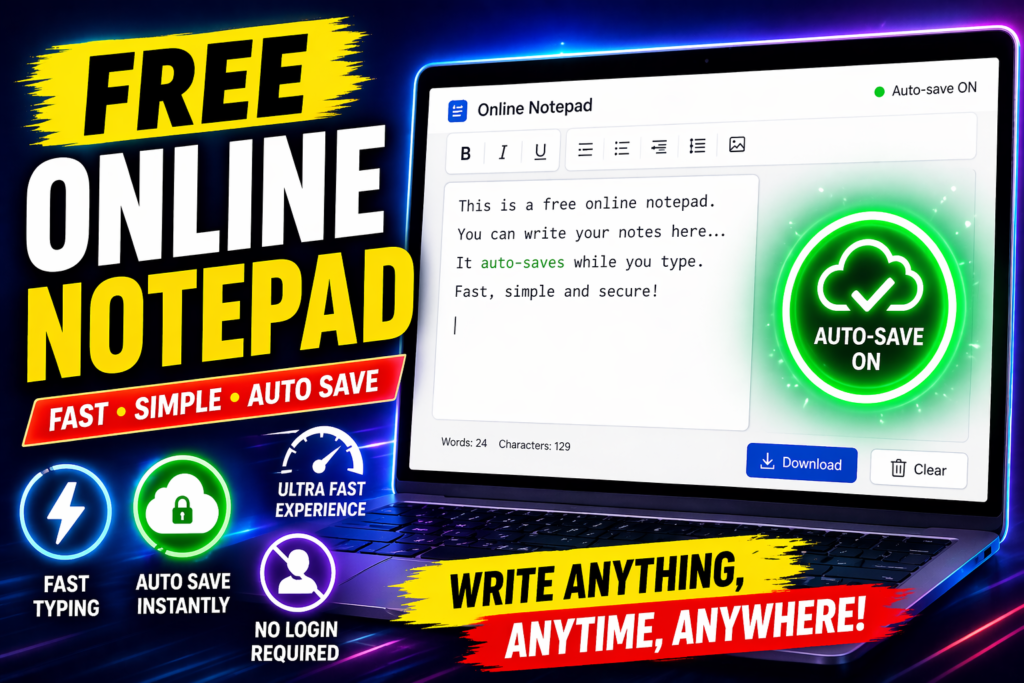
Free Online Notepad with Auto Save – The Simple Tool That Actually Works
Free Online Notepad with Auto Save – The Simple Tool That Actually Works
Capture ideas instantly with a free online notepad with auto save. No login, no sign-up, no waiting. Write, save, download—it’s that simple.
You Know That Feeling When You Lose a Great Idea?
It happens at the worst times. You’re in a meeting, and your boss mentions a project idea. You’re driving and think of the perfect opening line for your article. You’re in a lecture, and the professor says something you absolutely need to remember.
Your brain screams: I need to write this down right now.
So you reach for your phone or laptop. You open your notes app. It’s slow. It asks for a login. It’s loading. By the time you finally have a blank page, that perfect idea has already evaporated into thin air.
It’s frustrating. And honestly? It shouldn’t be this hard.
That’s why a free online notepad with auto save exists. It’s not fancy. It doesn’t have a thousand features you’ll never use. It’s just there—ready, waiting, saving everything you type without making you jump through hoops.
What Makes a Good Free Online Notepad with Auto Save?
Here’s what separates a truly useful notepad from the ones you’ll abandon after two tries:
Speed is everything. If it takes more than three seconds to start typing, you’ve already lost half your audience. The whole point of jotting something down is capturing it before it’s gone. Any delay feels like an eternity when you’re racing against your own memory.
No login required. Seriously. Every “sign up to get started” screen is a barrier between you and your idea. You shouldn’t need an account, a password, or an email address just to write something down. With a free online notepad, you click, you type, you’re done.
It saves automatically. Manually saving is for 2005. Real auto save means every character you type is stored immediately. Close the tab by accident? Come back later—your notes are still there. Your internet drops? The writing keeps saving. You don’t have to think about it.
It works everywhere. Your phone, your laptop, your tablet, that ancient shared desktop at work—doesn’t matter. A browser-based notepad meets you wherever you are.
How Auto Save Actually Works (And Why You Should Care)
If you’ve never used a free online notepad with auto save before, you might wonder: where is my text actually going?
Most modern online notepads use something called “local storage.” Think of it as a private storage locker built into your browser. Every time you type a letter, that keystroke gets saved instantly to your device’s local storage. Your internet could go down completely, and your text would still be safe.
The key difference from cloud-based apps? Your words never leave your device. They’re not floating on someone else’s servers. They’re not being scanned for marketing data. They’re just sitting on your computer or phone, exactly where you left them.
That’s why no login becomes so important. When there’s no account, there’s no server syncing your data. There’s no company tracking your usage. Your notepad is completely, genuinely yours.
One important note: Local storage is device-specific. If you switch to a different browser or computer, you won’t see the same notes. That’s why the download feature matters—it lets you save your text as a .txt file you can carry anywhere.
Who Actually Uses a Free Online Notepad (And Why)
You might think this is only for people procrastinating on actual writing. But in reality, these tools have a surprisingly broad audience.
Students use them constantly. Whether you’re in Delhi, Mumbai, or anywhere else, taking lecture notes is brutal when your note-taking app is slow. A quick, responsive free online notepad loads before your professor’s next sentence. No fussing with formatting. No syncing delays. Just write.
Writers love them. Professional writers, bloggers, journalists—many deliberately start their first drafts in plain text. No font choices to distract you. No autocorrect “fixing” your em-dashes into something you didn’t want. Just your ideas and a blank page.
Developers paste code into them. Try copying a code snippet into a rich text editor and watch it break. The formatting gets mangled. Special characters disappear. A plain text notepad keeps your code exactly as-is.
Remote workers keep one pinned. Phone numbers during client calls. Quick calculations. Action items from meetings. A running to-do list. One tab, always open, always ready. At the end of the day, download it or copy it wherever it needs to go.
Freelancers use it as a scratchpad. When you’re juggling three clients, five projects, and context-switching every 15 minutes, having a fast, frictionless place to dump thoughts is invaluable.
Key Features That Actually Matter
Not all notepads are created equal. Here’s what makes a free online notepad with auto save genuinely useful:
- Instant start – No loading screen. No welcome modal. The moment the page loads, you can start typing.
- Real-time auto save – Every keystroke saves immediately. Works even if your internet drops.
- Live word count – Know exactly how many words and characters you’ve written. Perfect for essays, tweets, or restricted-length fields.
- One-click download – Export your notes as a plain .txt file anytime. Your permanent copy, on your device.
- Full-screen mode – Strip away everything else. Just a white page and your cursor. Surprisingly powerful for deep work.
- Grammar check – Run it on demand, not while you’re drafting. Draft freely, then catch errors before you paste elsewhere.
- Fully responsive – Identical experience on phone, tablet, laptop. No app to install.
- Zero registration – No account. No email. No hidden paywall that converts to paid later. Genuinely free, forever.
Tips for Getting the Most Out of Your Notepad
Having the tool is one thing. Using it effectively is another. Here are some habits that make a real difference:
Start with context. Beginning every session with a date and one-line note (“March 24 – Client feedback notes”) means you know exactly what something is weeks later. Takes five seconds, saves confusion later.
Use full-screen for focus. If you’re writing something longer than a few paragraphs, hit full-screen mode. It genuinely reduces the urge to context-switch and helps you write better, longer content.
Keep it pinned. Pin the tab all day. Drop phone numbers, quick links, meeting notes, random thoughts—everything. Download at the end of the day. Faster than any notes app.
Paste rich text through it first. Copying formatted text from a website into an email or CMS? Run it through the notepad first. It strips hidden formatting and gives you clean text that won’t break your layout.
Check your word count before pasting. Before you paste your bio into a 160-character profile field, check here first. It only takes a second and saves you from getting cut off.
Download before clearing browser data. This is the one habit that prevents the one scenario where you could lose work. If you ever clear site data or cookies, download important notes first.
Privacy: Your Text Stays on Your Device
Here’s something that gets overlooked with most note-taking tools: where is your data actually going?
With Notion, your notes go to their servers. Google Keep ties everything to your Google account. Evernote processes everything through their infrastructure.
With a free online notepad with auto save that uses local storage, your text never leaves your device. It saves only on your computer or phone. Dorak’s servers never see what you type. It cannot be collected, analyzed, or sold.
For students with thesis drafts. For professionals with confidential documents. For freelancers with client briefs under NDA. For anyone who simply values privacy—it matters.
Frequently Asked Questions
Is it really free? Like, actually free? Yes. Completely free. No sign-up, no credit card, no hidden tier that converts to paid later. The tool is free for every user, forever.
What happens if I close the tab by accident? Your text will be right there when you reopen it in the same browser. Auto-save runs continuously, so nothing disappears. The only exception is if you clear your browser’s site data.
Can I use it without an internet connection? You need internet to load the page initially. After that, writing and saving work even if you lose connection. For unreliable WiFi situations, load it while connected, then write as needed.
Does it work on my phone? Yes. Fully responsive. Works identically on Android, iPhone, iPad, and any tablet. No app needed—just open your browser.
Is there a word limit? No limit. Write as much as you need in a single session. The counter just shows you your current count.
How is this different from regular Notepad on Windows? Windows Notepad only works on Windows. A browser-based notepad works on any device. Plus, you get word count, grammar checking, auto-save across sessions, and you can access it from anywhere.
The Bottom Line: Stop Losing Ideas to Slow Tools
That great idea that disappeared because your note-taking app was slow. That phone number you had to ask for twice. That sentence you wanted to remember but forgot by the time your tool loaded.
Every one of those moments happened because the tool wasn’t ready when you were.
A free online notepad with auto save removes that problem entirely. It’s open. It’s blank. It’s saving. Before your fingers even hit the keyboard. No accounts. No waiting. No subscriptions.
Just a fast, private, clean writing space that’s always ready and never asks anything from you.
If you haven’t tried one yet, bookmark it. Pin the tab. Make it the first thing you open when you sit down to work.
The next time an idea arrives in a rush, the page will already be there.
Ready to get started? Open your browser. No signup, no loading screen, just a blank page waiting for your next thought.